Complete Platform Guide
Master every feature of WorkMA. From basic task management to advanced security features like the Nexus IDE, Panopticon, and Sentinel AI.
Architecture & The Walled Garden
WorkMA is built from the ground up for Enterprise security. We do not use shared database tables for sensitive data. Instead, when you create a Workspace, our `TenantService` dynamically provisions a completely isolated PostgreSQL schema specifically for your company.
Role-Based Access Control (RBAC)
Inside your Walled Garden, permissions are strictly enforced:
- Tenant Admins have full access to billing, user invitations, API integrations, and the Vault.
- Team Leads can create projects, assign tasks, review Merge Requests, and view analytics.
- Developers can access the Nexus IDE, move tasks on the Kanban board, and submit code.
Project & Task Management
WorkMA features a highly responsive, drag-and-drop Kanban board designed for speed. Tasks can be tagged with priorities, assigned to multiple avatars, and linked directly to codebase branches.
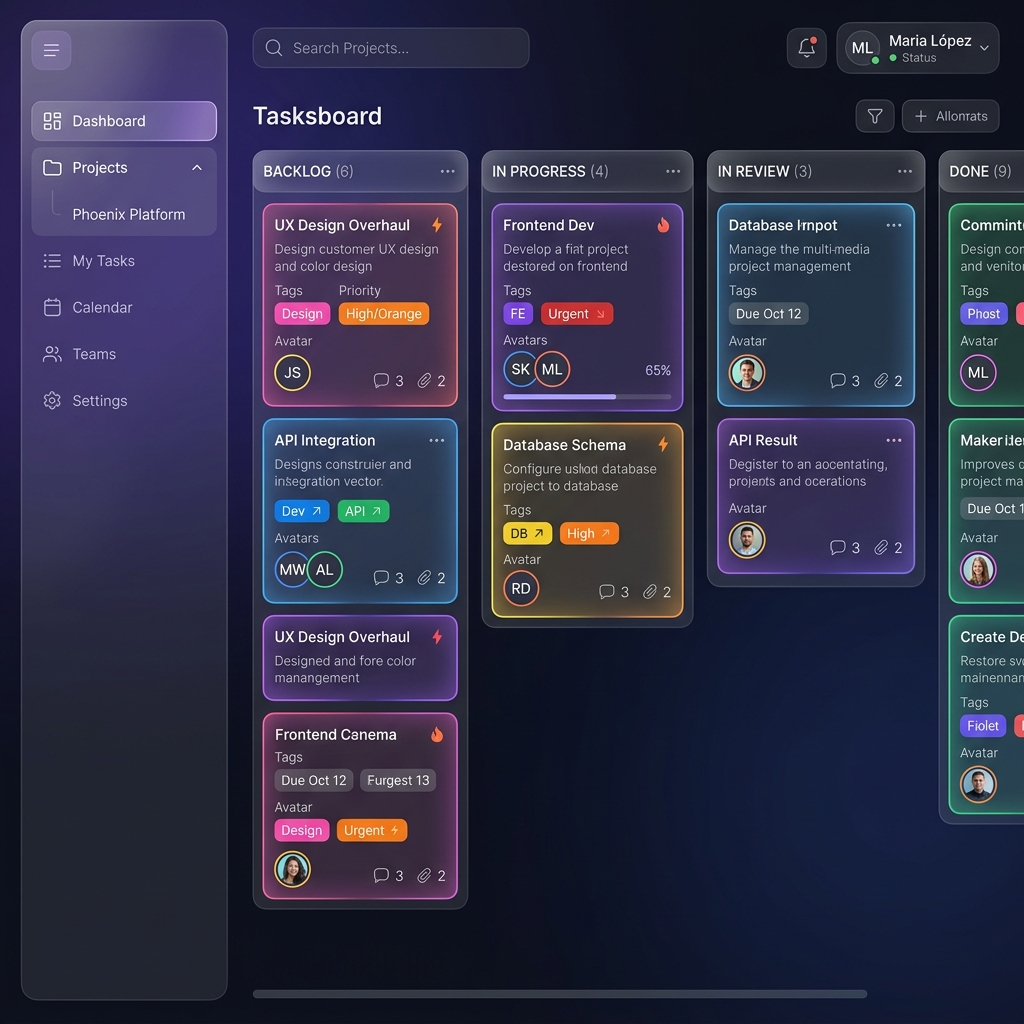
The UI is designed to minimize visual clutter while maximizing information density. Colorful tags and status indicators ensure everyone knows exactly what needs to be done.
The Fortress IDE (Nexus)
Stop switching tabs between your project manager and your code. The Nexus IDE is a full-featured code editor embedded directly into your browser, powered by the Monaco Editor (the exact same engine behind VS Code).
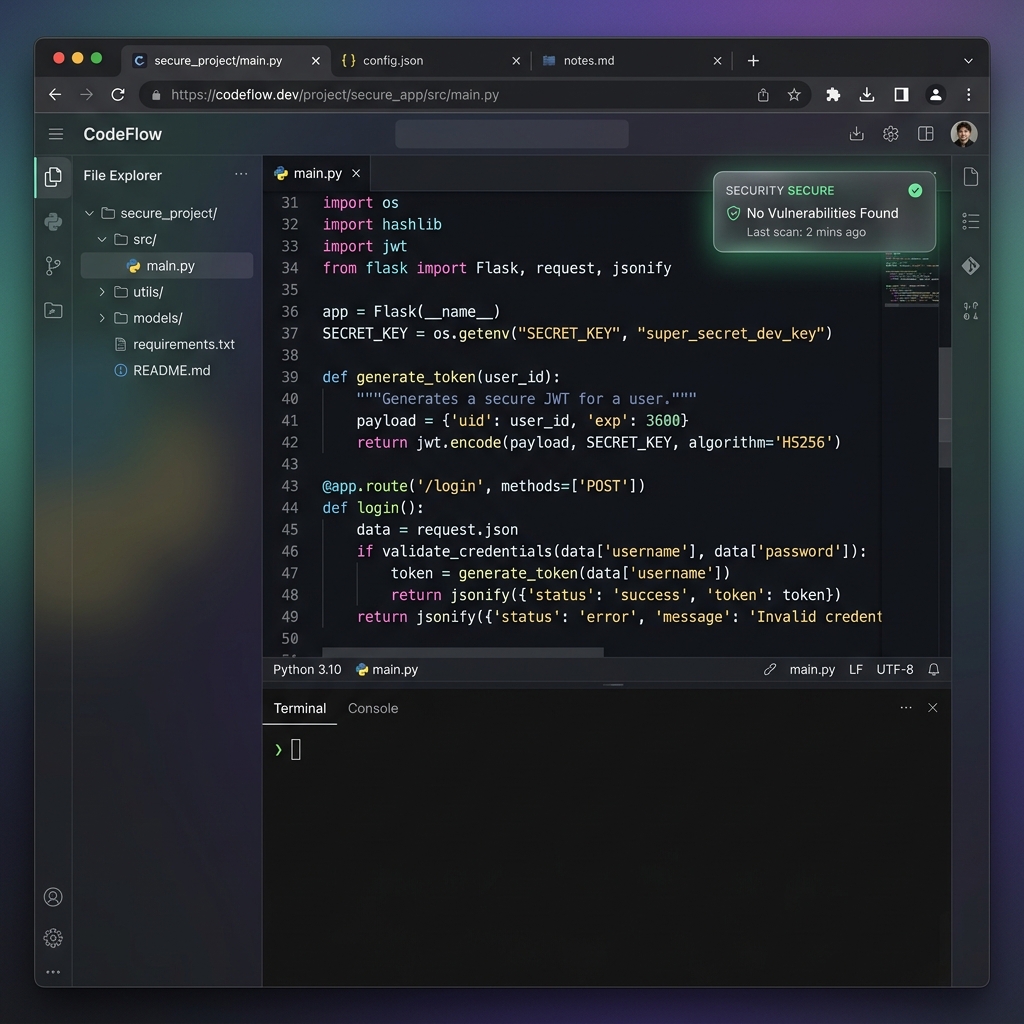
Real-Time Presence (WebSockets)
Nexus uses our custom WebSocket integration to show you exactly who else is viewing or editing a file in real-time. This prevents merge conflicts before they even happen.
Data Loss Prevention (DLP)
To ensure code security, our custom middleware intercepts and restricts native copy, cut, and paste functionality in the IDE. Your intellectual property cannot be exfiltrated easily by untrusted actors.
The Vault
Never hardcode API keys. The Vault allows Tenant Admins to securely store environment variables. These are masked from developers but securely injected into the runtime environment during execution.
Live Meetings & Notes
WorkMA integrates directly with Google Meet and Jitsi for zero-friction communications. You can launch a meeting directly from a Project page.
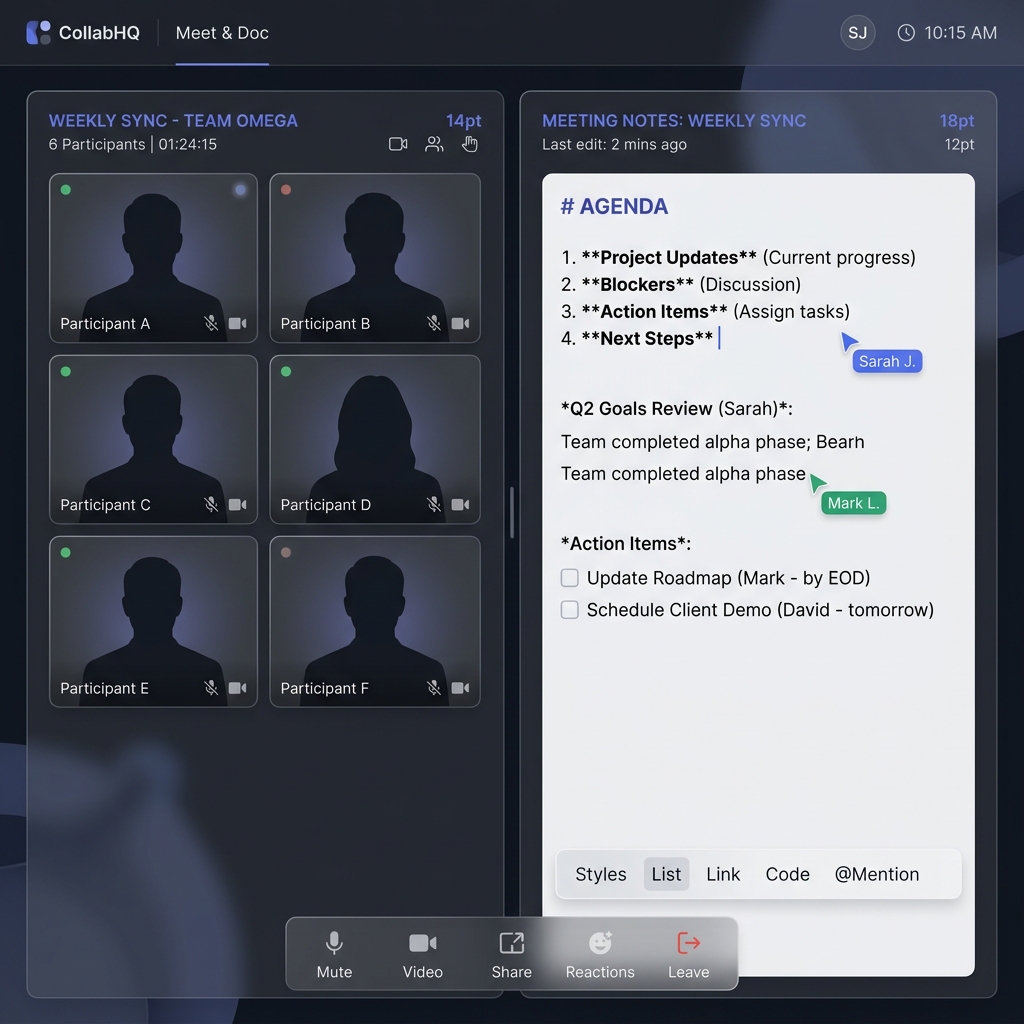
Auto-Saving Live Notes
During a video call, the right panel features a "Live Notes" document. As you type, the notes automatically save to the database every 2 seconds using a smart debounce algorithm. When the meeting ends, these notes are permanently attached to the meeting record for the whole team to review.
Security Panopticon & Developer Payroll
WorkMA employs military-grade security monitoring disguised as productivity analytics. Everything is tracked transparently.
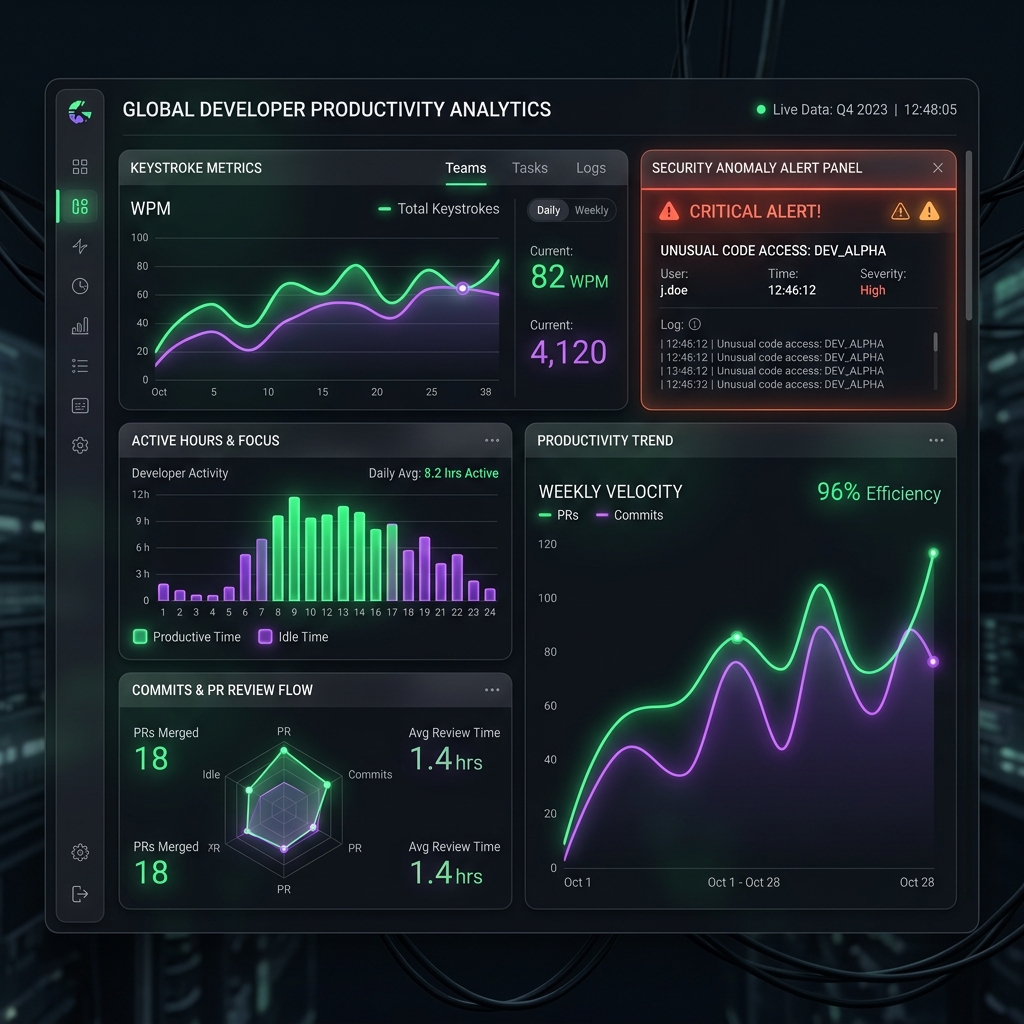
Activity Monitoring
When a developer is active in the Nexus IDE, the Panopticon background worker tracks:
- Keystroke Velocity: Total coding speed and output.
- Active Hours: Calculated in the background to automatically generate accurate timesheets for the Payroll dashboard. No more manual time tracking.
- Security Anomalies: Large clipboard pastes or unusual behavioral patterns instantly trigger high-priority alerts to the Tenant Admin.
Sentinel AI Code Review
Before human eyes even see a Merge Request, the Sentinel AI is already at work. When a developer submits an MR through Nexus, Sentinel automatically intercepts the code diff.
It checks for OWASP vulnerabilities, logic errors, and styling issues, providing an automated security audit badge directly on the MR.
Step-by-Step Guides
Here are quick instructions for performing the most common actions in WorkMA:
How to Invite a Team Member
- Log into your Dashboard and navigate to Teams in the left sidebar.
- Click the "Invite Member" button in the top right corner.
- Enter the user's email address and select their Role (Developer, Team Lead, etc.).
- The user will receive an email with a secure link to join your Walled Garden.
How to Start a Live Meeting
- Navigate to the Meetings tab in the sidebar.
- Click "New Meeting". Give the meeting a title and select the relevant Project.
- Click "Join Live" to launch the split-screen video and notes interface.
- As you type in the notes panel, your text is automatically saved every 2 seconds.
How to Use The Vault (Secret Injection)
- As a Tenant Admin, open a project in the Nexus IDE.
- Click the Vault Icon (padlock) in the left sidebar.
- Click "Add Secret", enter your Key (e.g.,
STRIPE_API_KEY) and Value, and save. - Developers can now write code referencing
os.environ.get("STRIPE_API_KEY")without ever seeing the actual key.
Frequently Asked Questions
Platform Admin Capabilities
For platform owners, WorkMA includes a robust "Super Admin" dashboard. From here, you can manage the global infrastructure, adjust pricing tiers, and monitor system health.
A critical feature is Tenant Impersonation. Support staff can temporarily safely assume the identity of a tenant to debug issues, and every single action is logged in an immutable `TenantAuditLogger`.